Version 2.5 November 2026
Jarvis just got a workshop.
Projects with hologram 3D models, a CNC console, a new way to move around, an agent that finishes what it starts, and now a voice that runs on your own computer.
- 2new pages
- 9machines
- 5fixes
01Since 2.1
New in 2.2, 2.3, 2.4 and 2.5
The latest updates, then everything that arrived in 2.1 below.
- 2.5
A Jarvis that pays attentionJarvis always knows what is on screen, remembers the conversation and recalls memories on his own. He asks before using your computer, and you can stop him at any time. Newer AI models with a think-deeply mode, real system status, a radar and usage meters. Jarvis can read what a widget says, and widgets never end up off screen. On Windows the default menu bar is gone and fullscreen works.
- 2.4
Ready to talk the moment it opensThe voice models come built in, so local voice works on first launch with nothing to download. A spoken tour and a new voice setup screen when you first open Jarvis. Credits for the open voice models in Settings.
- 2.3
His voice runs on your computerJarvis can hear and speak on your own machine, with his voice built in. Set it up during first run or in Settings, and check it on the audio test page. Steadier when the network hiccups, plus web search and printer fixes.
- 2.2
Projects open more of your filesThe project file viewer reads documents and renders Markdown. Polish across the blueprint table and project pages.
02Projects
Every build gets its own blueprint table
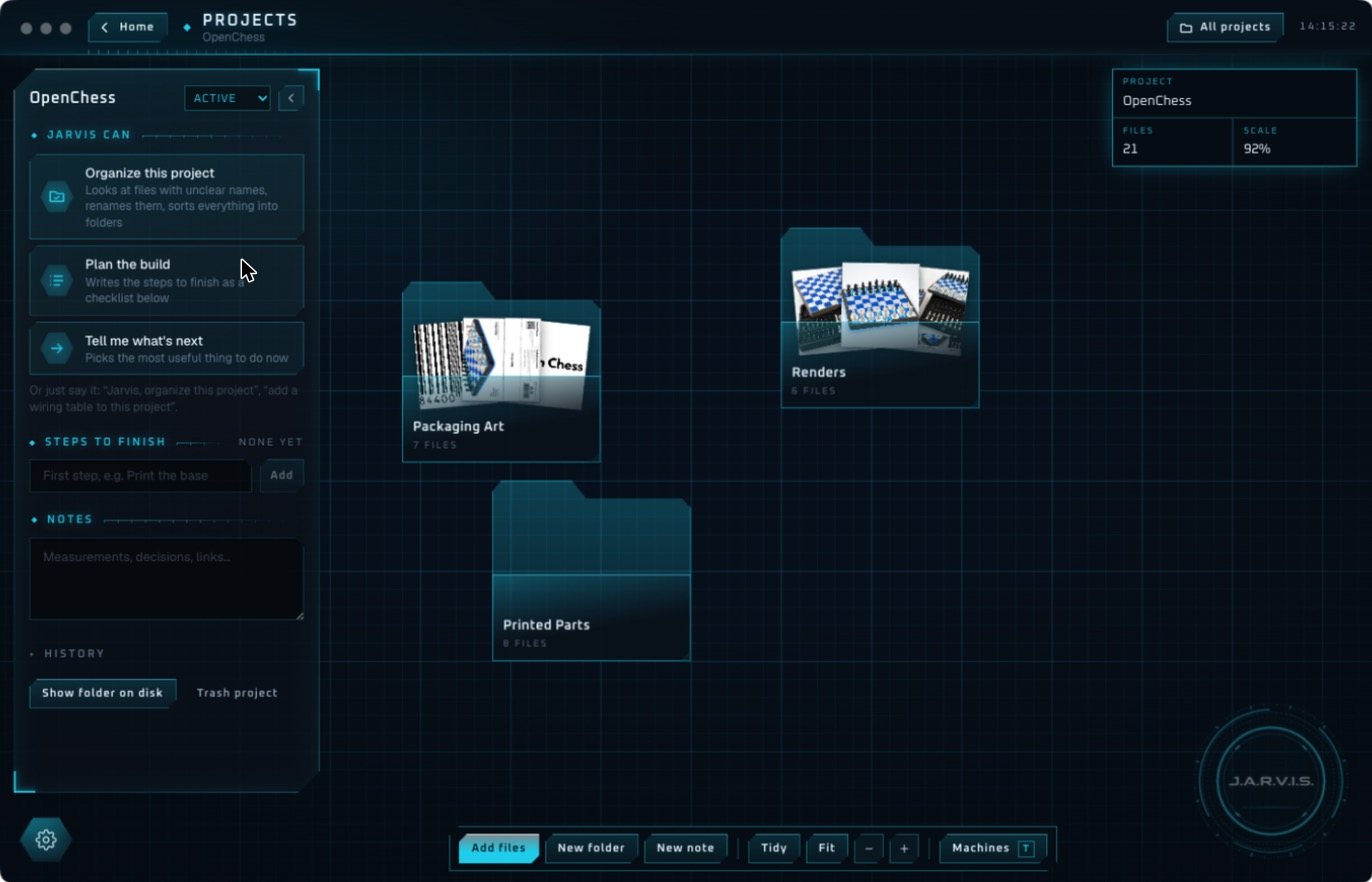
Drop in pictures, STL and 3MF models, or whole folders. Models spin as holograms with their real dimensions. Open the machine tray and drag a part onto a printer, laser or mill.
- Holograms show each part's size in millimetres
- Drag a part onto a machine for quick settings and a filament estimate
- Resin jobs open in PreForm, laser jobs in xTool Studio, FDM jobs in your slicer
Jarvis can
Steps to finish None yet
- Project
- OpenChess
- Files
- 4
- Scale
- 100%
- Hover a piece and it spins up and leans toward you
- Drag a piece onto a printer for quick settings
- Press T to show and hide the machines
03Jarvis, organize this project
He tidies up after you
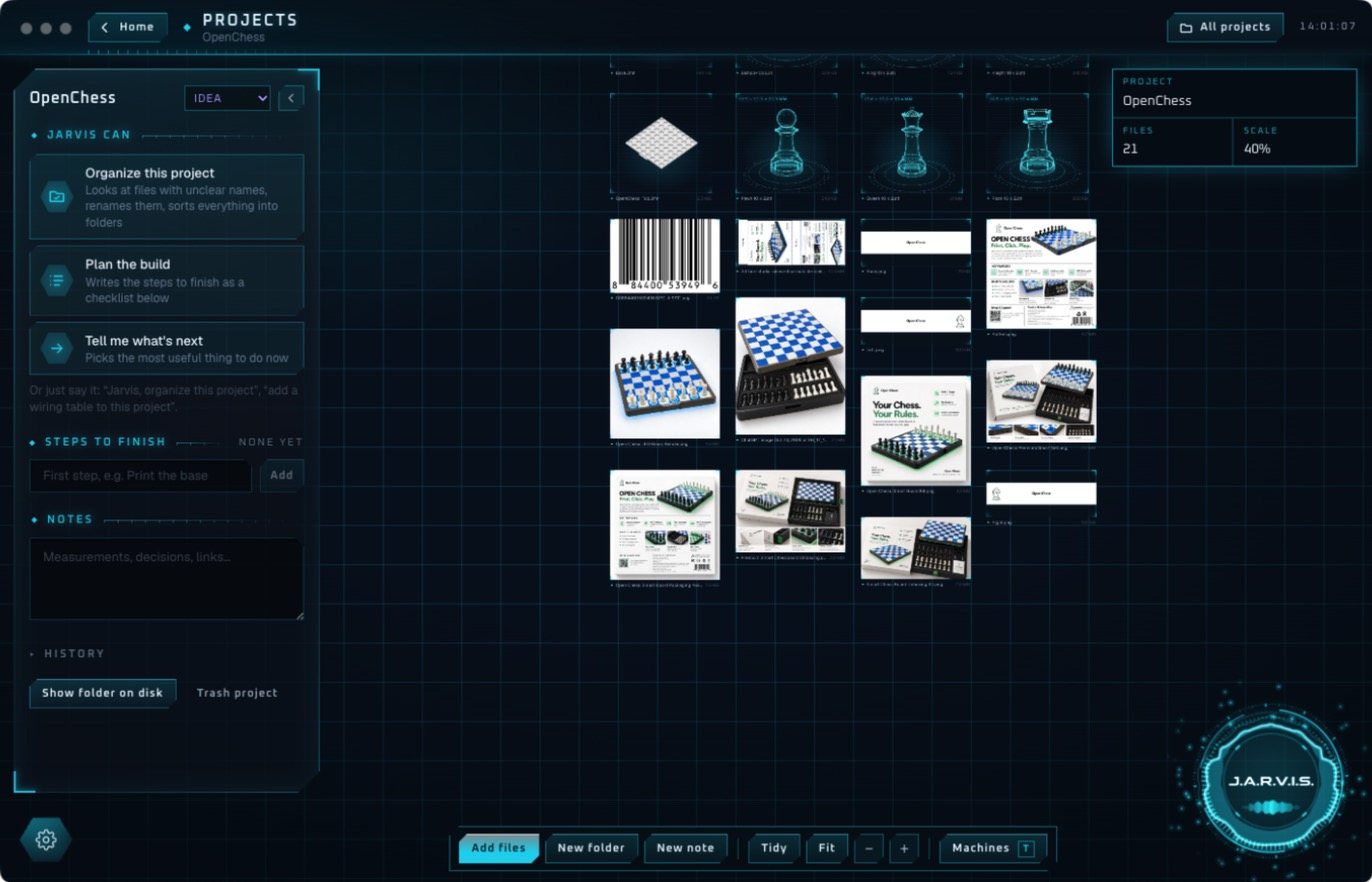
Jarvis looks at files whose names say nothing, works out what they are, renames them and sorts everything into folders. He can also write the steps to finish the build, or pick the most useful thing to do next.
- Looks at pictures and four-view renders of 3D models to name them
- Never renames a file he was not shown
- One click to undo
04CNC console
Your mill, on the network
A new CNC page finds Makera mills on your network, opens NC files and shows the toolpath over the machine while it runs.
- Carvera, Carvera Air and Z1 from Makera
- Nomad and ToolDance in the lineup
- Drag the carousel to switch machines
Carvera Air
Find this machine on the network
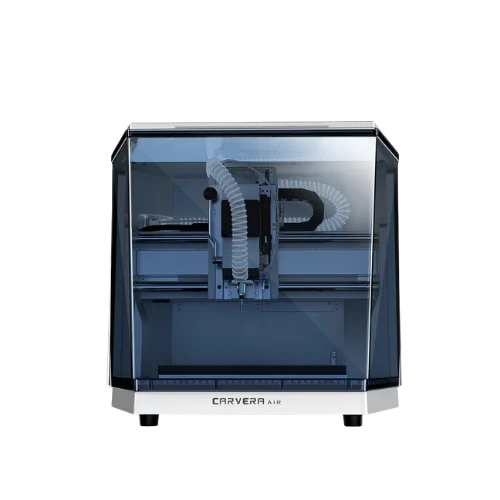
Machines available5 units · drag to cycle
05A smarter agent
He shows you, builds for you, and asks first
Ask what something is and Jarvis opens a deck of panels instead of only describing it. Describe a widget and he codes it. Give him a multi-step job and he stays on it.
Show me
Ask, and a deck of panels opens around him
Pick a question. Jarvis builds the deck around himself.
Demo layout. In the app these fill with real pictures, diagrams, manuals, videos and news.
You approve the risky stuff
Before he deletes, force-quits, installs or overwrites, Jarvis stops and shows you exactly what will run
Approval needed · Shell command
Jarvis wants to do this because the old build folder is in the way of a clean install.
For: Clear the old build and reinstall the project
rm -rf ~/Projects/widget-dock/build
Only a click here can approve it. Nothing the voice model says counts.
Multi-step tasks
He stays on the job until it is done
The Agent Engine runs commands on your computer, enforces its permissions in code, and only reports success it verified.
06A new look
Tap the core and every page orbits out
Pages bloom out of the Jarvis logo on a ring. Pick one and it locks into the centre before the page swipes in. The new Voice Core moves like speech, and particles build each widget as it appears.
- Voice Core visualizer, the new default
- A guided first-run tour
- Redesigned settings
07Fixed
Smaller things, put right
Voice minutesA call that failed or had already ended could keep using voice minutes. It no longer does.
Backup voiceWhen the main voice service is unavailable, Jarvis switches to a backup voice instead of going quiet.
Computer controlClicks land where they should on large and high-resolution screens, and tasks run faster.
StocksMarket widgets keep working when the main quote source rate-limits, by switching to a second source.
Faster repliesShorter instructions to the voice model on every turn, and quicker image generation.
08Up and running in five minutes
Ready when you are
- 1
Download the installerGet the macOS or Windows version from the download page.
- 2
Install and open JarvisOn Mac, drag Jarvis into Applications. On Windows, run the setup file. Jarvis boots and gives you a short tour.
- 3
Sign inUse the account you already made. No API keys needed.
- 4
Give him new powersConnect Gmail, your calendar, Slack and more, one click each. You can skip this and do it later.
- 5
Say “Jarvis”Tap the core or say his name. Try “Jarvis, what’s a Raspberry Pi?”