Computer control
An AI agent that controls your computer
Give Jarvis a job with several steps and he stays on it until it is done. He works by running commands on your computer, checks the outcome, and stops to ask before anything he could not undo.
- 6,357 downloads
- Windows, Mac & Linux
- Free voice minutes, no card
How a task runs
- You ask. “Clear the old build and reinstall the project.”
- He plans. Jarvis breaks the request into steps.
- He runs them. Wherever he can, he runs commands directly instead of slowly clicking through windows.
- He checks. A step counts as done only when he has verified it, for example that the file exists.
- He reports. You hear what was done, and what was not.
The approval prompt
An agent that can act can also do damage. Jarvis handles that with a rule enforced in the app’s code, not left to the AI:
- Deleting, force-quitting, installing and overwriting all stop for approval.
- The prompt shows the exact command and why he wants to run it.
- Only your click approves it. Nothing said by voice counts.
- If you do not answer within the countdown, the answer is no, and he looks for another way.
Real jobs he handles
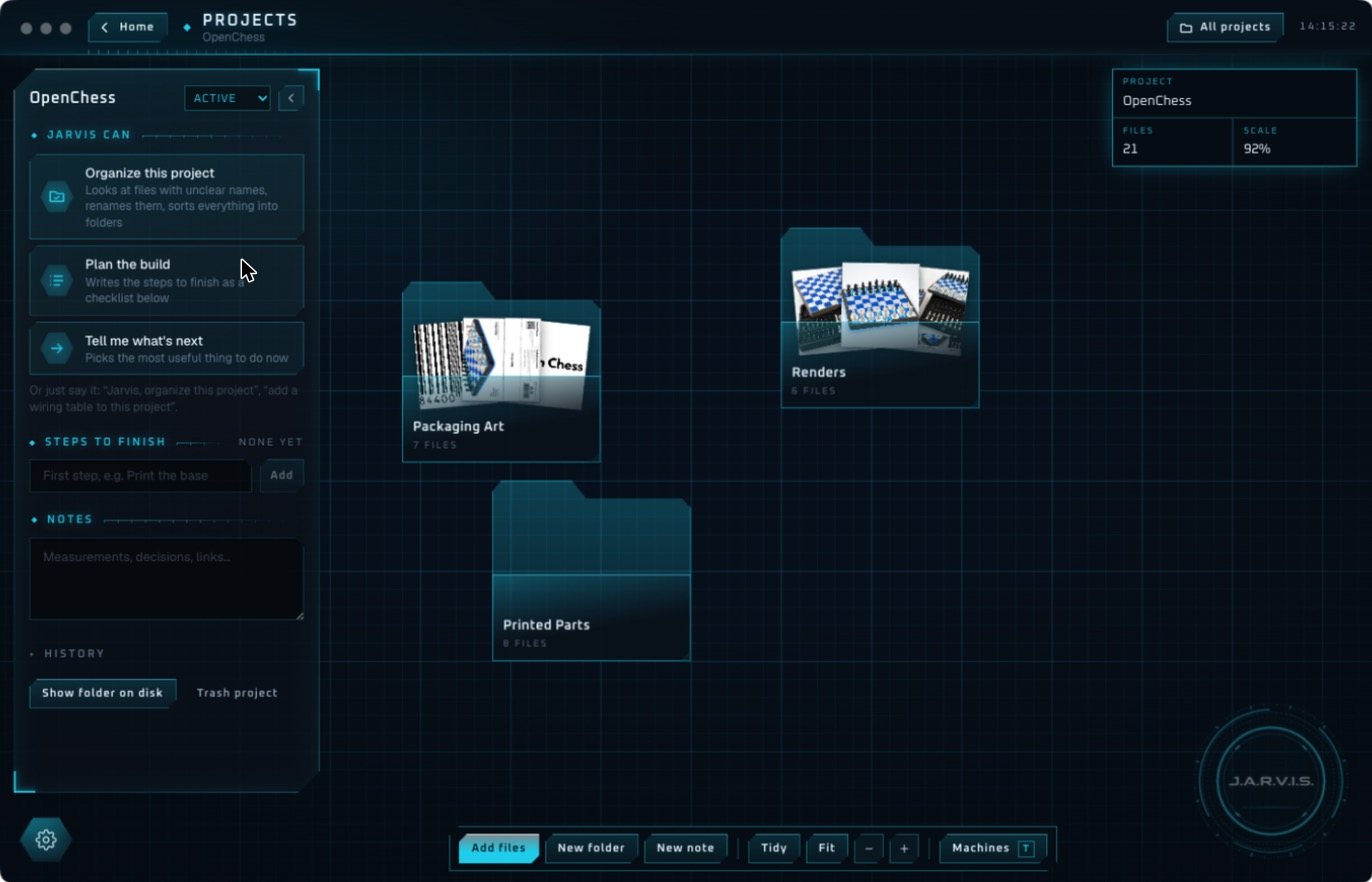
- Organize a project. He looks at pictures and four-view renders of 3D models, renames unclear files and sorts them into folders. One click undoes it.
- Work across apps. Find an email, add the meeting, write the doc. Gmail, Google Calendar, Google Docs and Slack connect with one click each.
- Build a tool. Describe a tracker and he codes a live widget that fetches its own data.
- Send a part to a machine. Drag a model onto a printer and he opens the right slicer.
Try it on your own machine
Jarvis Desktop runs on Windows, Mac and Linux. Download it, and read how Jarvis handles safety if you want the detail first.
Questions people ask
Can AI control my computer?
Yes. Jarvis Desktop can open apps and run multi-step tasks on your computer. Risky actions need your approval on screen first.
Is it safe to let an AI agent run commands?
It carries risk, which is why Jarvis asks before deleting, installing, force-quitting or overwriting, shows the exact command, and treats no answer as a no.
Does Jarvis click through apps like a person?
He can, but he prefers running commands, which is faster and more reliable. He falls back to on-screen control when a task needs it.
Keep reading
Jarvis Desktop is made by Concept Bytes. It is an independent product and is not affiliated with, endorsed by or connected to Marvel or Disney.