The app
The Jarvis app
Jarvis Desktop is an app for computers: Windows, Mac and Linux. It is where the assistant can actually act, because it runs on the machine it controls.
- 6,357 downloads
- Windows, Mac & Linux
- Free voice minutes, no card
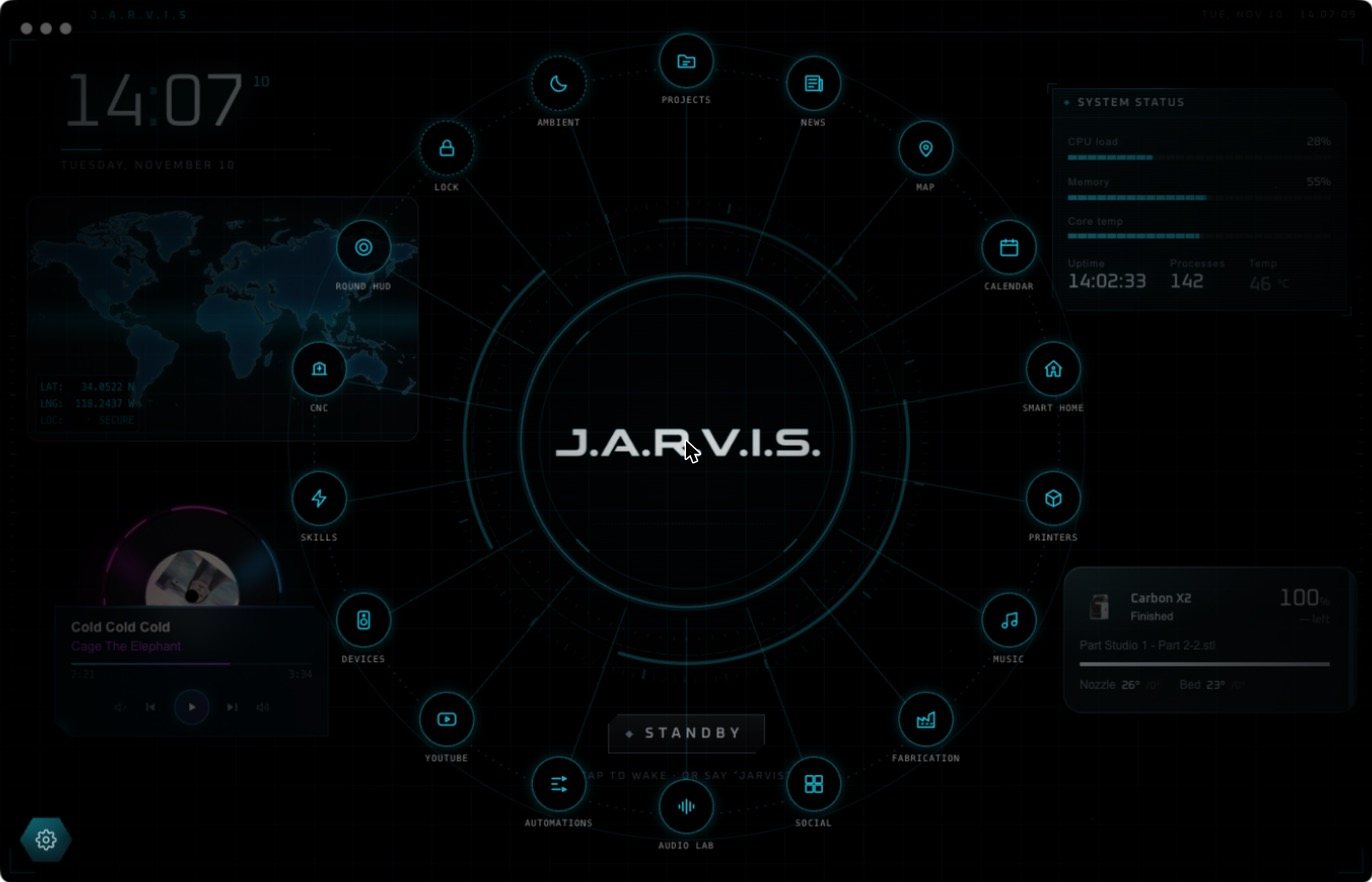
What is inside the app
- Home: the voice core, with widgets around it that Jarvis places and builds.
- Projects: a blueprint table for each build, with 3D models shown as holograms.
- Printers and CNC: your machines, their progress and their toolpaths.
- Smart Home: your Home Assistant devices.
- News, Map, Calendar, Music and YouTube pages.
- Skills and Automations: what Jarvis can do, and what he does on a schedule.
Is there a Jarvis app for iPhone or Android?
Jarvis Desktop is a computer app. There is no Jarvis Desktop app in the App Store or Google Play. App-store apps named “Jarvis” are other companies’ products.
Once you have an account you can also talk to Jarvis in your browser from the website. The full assistant, with computer control and the HUD, is the desktop app.
Get the app
Installers for all three systems are on the download page.
The download is free, and a new account gets free voice minutes with no card. After that a plan keeps Jarvis running: Regular is $19 a month and Pro is $29 a month. The details are on pricing.
Questions people ask
Is there a Jarvis app for Android or iPhone?
Jarvis Desktop is a desktop app for Windows, Mac and Linux. It is not in the App Store or Google Play. Phone apps named Jarvis are made by other companies.
Is the Jarvis app free?
It is free to download, with free voice minutes for new accounts. Plans start at $19 a month.
What can the Jarvis app do?
Hold a voice conversation, control your computer with your approval, build live widgets, manage projects with 3D models, and control smart home devices, 3D printers, lasers and CNC mills.
Keep reading
Jarvis Desktop is made by Concept Bytes. It is an independent product and is not affiliated with, endorsed by or connected to Marvel or Disney.