The interface
The Jarvis interface, on your PC, and it works
Themes and wallpapers can make a desktop look like Jarvis. They cannot make it do anything. Jarvis Desktop is the interface with the assistant behind it: every ring, panel and readout is live.
- 6,357 downloads
- Windows, Mac & Linux
- Free voice minutes, no card
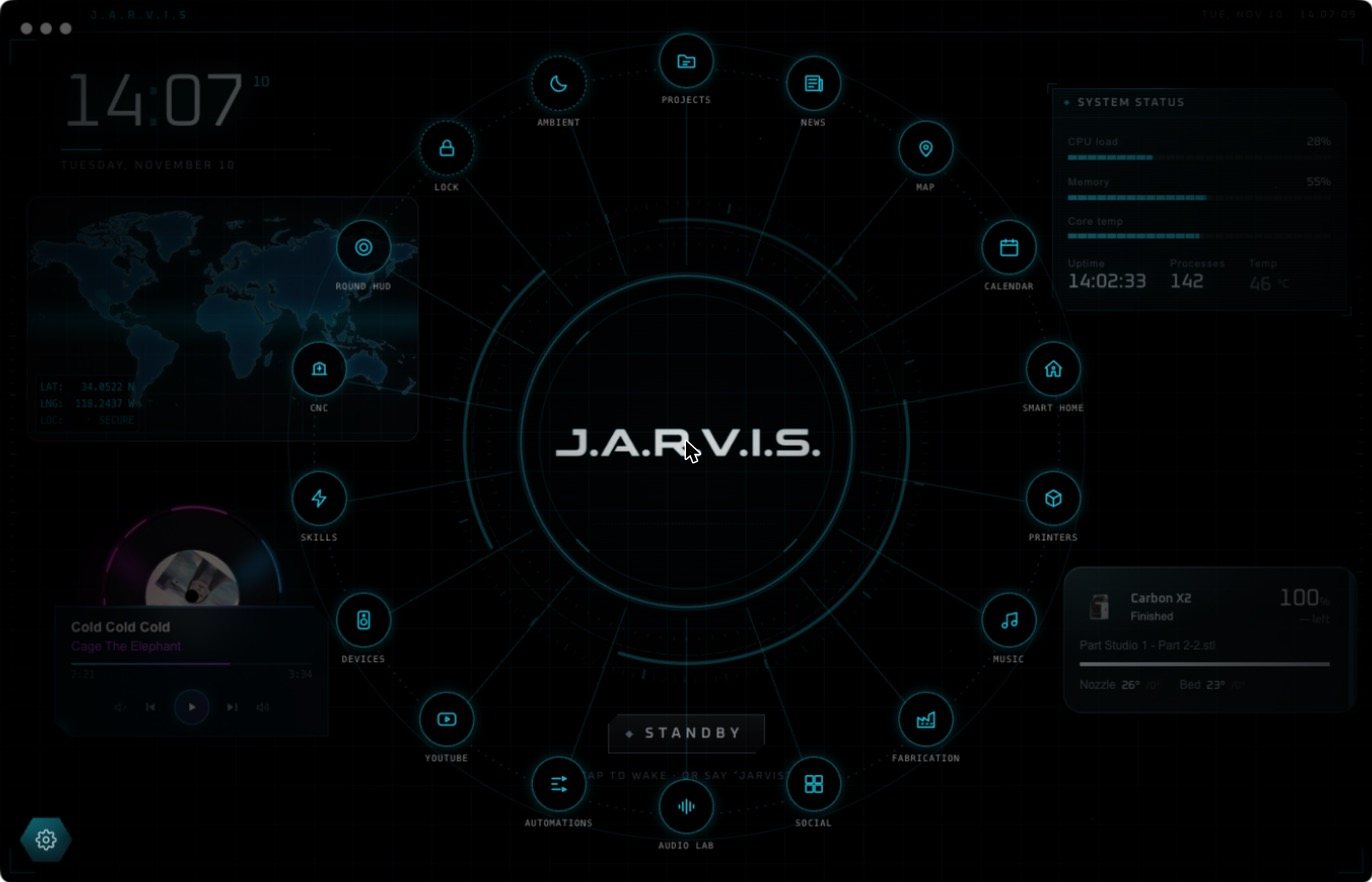
What is on screen
- The voice core. Rings that move with his speech, in the centre of the screen.
- Widgets that build themselves. Particles fly out of the core and assemble each panel as it appears.
- Different shapes for different things. A clock floats with no box. A map runs edge to edge. Dense readouts get an instrument plate.
- The orbit menu. Tap the core and every page flies out onto a ring.
- Holograms. 3D models spin on a blueprint table.
It rearranges itself around your question
Ask “How’s the S&P 500 doing?” and the screen becomes a market desk. Ask “What’s a Raspberry Pi?” and it becomes a datasheet. Widgets are placed around the core and never over it. You can drag them, resize them, or tell Jarvis to clear the lot.
Try the interface in your browser
The Jarvis Desktop home page has a live copy of the home screen. Click the question chips and drag the widgets around. Then download the real thing.
Jarvis interface versus a Rainmeter theme
Rainmeter skins and live wallpapers are free and look great in a screenshot. They show clocks and system stats. They do not listen, speak or act. If you want the look only, a skin is fine. If you want the assistant, you need the app.
Questions people ask
How do I get the Jarvis interface on my PC?
Download Jarvis Desktop for Windows, Mac or Linux. It is a full-screen working HUD with a voice core and live widgets.
Is Jarvis Desktop a Rainmeter skin or wallpaper?
No. It is a standalone app. The interface is driven by a working AI assistant, so the panels change with what you ask.
Can I change the colour of the Jarvis interface?
Yes. The app has accent themes, and you can move and resize widgets.
Keep reading
Jarvis Desktop is made by Concept Bytes. It is an independent product and is not affiliated with, endorsed by or connected to Marvel or Disney.