Open-source Jarvis
Open-source Jarvis vs Jarvis Desktop
The best-known open-source Jarvis is the one by Baris Sencan on GitHub. It is a serious project with a clear idea: your assistant, on your hardware. Jarvis Desktop starts from a different idea: it should just work, and do more. Here is how they differ.
- 6,357 downloads
- Windows, Mac & Linux
- Free voice minutes, no card
Side by side
| Assistant | Runs on | Talks with you | Acts on your computer | Smart home | Workshop machines | Price |
|---|---|---|---|---|---|---|
| Jarvis Desktop (Concept Bytes) | Windows, Mac, Linux | Yes, real time, “Hey Jarvis” wake word | Yes, runs tasks on your computer, with approval prompts | Yes, built in, through Home Assistant | 3D printers, lasers, CNC mills | Free minutes, then $19 or $29 a month. No keys or models to set up |
| Jarvis, open source (Baris Sencan) | Windows, Mac, Linux. Developed mainly on macOS | Yes, say “Jarvis” anywhere in a sentence; runs on local models | Built-in tools for search, files and screenshot reading; more through MCP servers you connect | Through a Home Assistant MCP server you set up | Not listed | Free for non-commercial use. You run the models on your own hardware |
Facts about other products were checked in November 2026 against each maker’s own site or the sources below. “Not listed” means the source does not mention the feature, not that the product lacks it. Products change, so check the maker’s site before you decide.
Setup and hardware
| Jarvis Desktop | Open-source Jarvis | |
|---|---|---|
| Install | One installer, then sign in | Download a zip, then a setup wizard for speech and a model server such as Ollama |
| Where the AI runs | Hosted for you. Recent versions can run hearing and voice locally | On your own computer |
| Hardware | 4 GB of RAM | Depends on the model. A reviewer notes the default suits about 8 GB of graphics memory |
| Quality of answers | The same on every computer | Its README says accuracy and speed depend on your models and hardware |
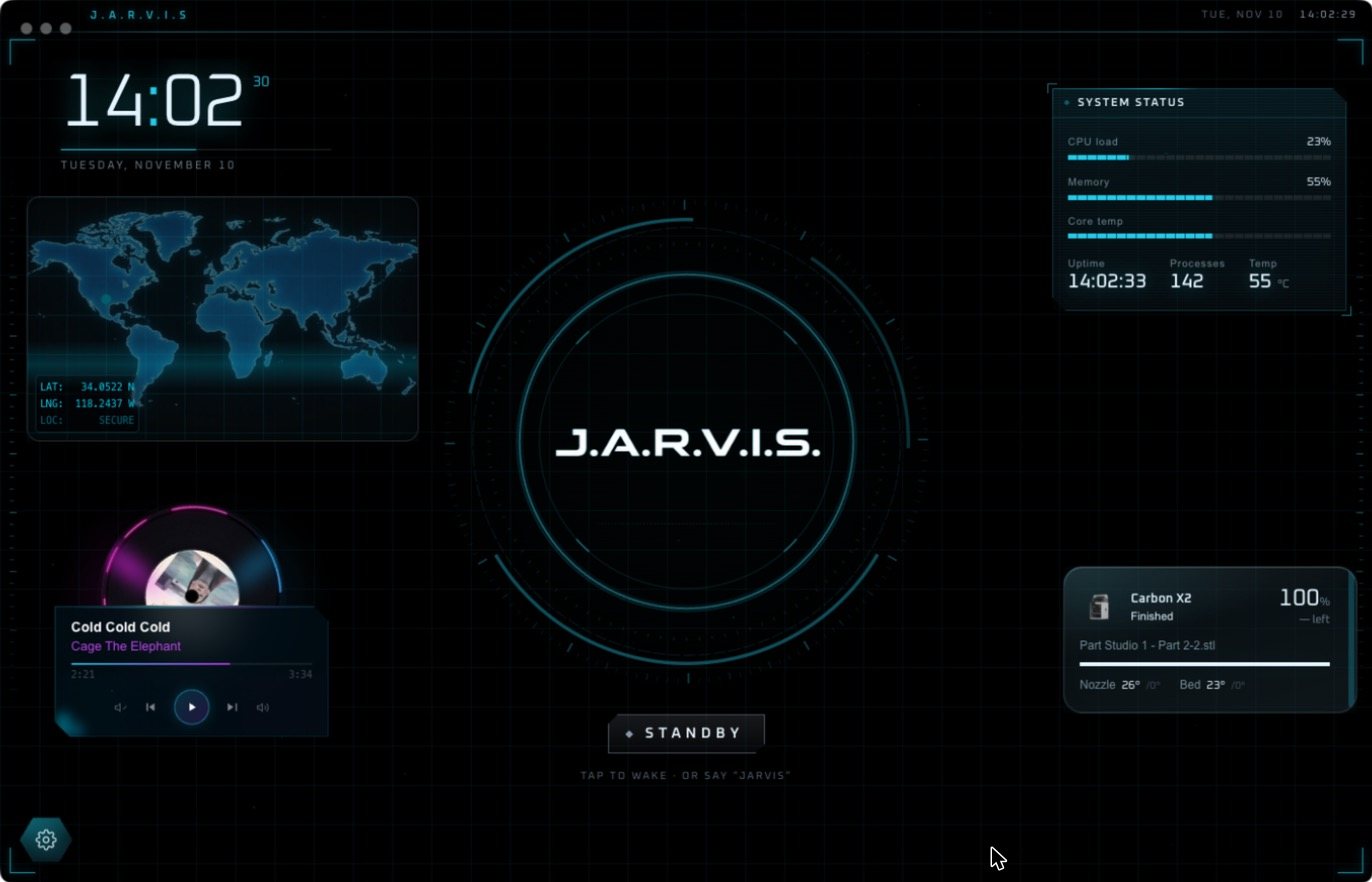
| Screen | Full HUD with widgets, projects and machine pages | A floating face, a chat window and a memory viewer |
| Smart home | Built in, through Home Assistant | Through an MCP server you connect yourself |
| Workshop machines | 3D printers, lasers, CNC mills | Not listed |
| Platforms | Windows, Mac, Linux, same features | All three; the README says Windows and Linux behaviour may differ |
| Price | $19 or $29 a month after free minutes | Free for non-commercial use |
| Source code | Closed | Open, under a non-commercial licence |
Where the open-source Jarvis is stronger
- Privacy by design. Speech recognition, models and memory run on hardware you control.
- No subscription. It is free for personal use.
- Joining a conversation. It keeps a short rolling transcript so you can say “Jarvis, what do you think?” mid-discussion.
- Local dictation into any app, and a memory you can browse.
- You can read and change the code.
Where Jarvis Desktop is stronger
- It works on the computer you already have. No graphics card to size and no model to choose.
- It does things on your computer as a core feature: multi-step tasks, verified, with approval prompts.
- A full HUD. Decks of live widgets, projects with hologram 3D models, pages for each machine.
- Home and workshop are built in, with nothing extra to connect beyond your own devices.
- The same on all three systems.
Which should you choose?
If keeping everything on your own hardware matters most and you have the machine for it, the open-source Jarvis is a good project and we would point you to it. If you want a Jarvis that runs your computer, home and workshop tonight, download Jarvis Desktop.
Questions people ask
Is there an open-source Jarvis?
Yes. The best-known is Jarvis by Baris Sencan on GitHub, a local-first voice assistant for Windows, Mac and Linux that is free for non-commercial use. OpenJarvis is another open-source project aimed at developers.
Is Jarvis Desktop open source?
No. Jarvis Desktop is a commercial app from Concept Bytes. It is free to download and includes free voice minutes.
Is the open-source Jarvis the same as Jarvis Desktop?
No. They are unrelated products from different makers that share a name.
Do I need a powerful computer for Jarvis?
For Jarvis Desktop, no: 4 GB of RAM is enough. For the open-source Jarvis, it depends on the local model you run; larger models need more graphics memory.
Keep reading
Jarvis Desktop is made by Concept Bytes. It is an independent product and is not affiliated with, endorsed by or connected to Marvel or Disney.